

Why More Imaging Rooms Need a 21.3-inch 3MP Medical Diagnostic Display?
A hospital does not read only one type of image every day.There are X-ray images.There are CT images.There are MRI images.There are DSA images.There are 3D images from imaging workstations.
Each image has its own details. Some details are bright. Some details are dark. Some details are hidden between gray levels. This is why a normal screen is not enough for many medical imaging rooms.
A 21.3-inch 3MP Medical Diagnostic Display is made for this kind of work. It is not only used to “show a picture.” It is used to help medical staff view medical images in a clearer and more stable way.
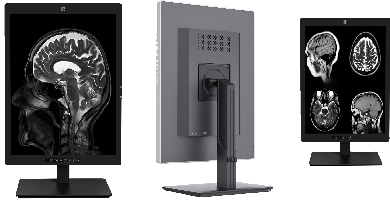
In DR/CR and X-ray rooms, doctors often need to check bones, chest images, and other grayscale images. These images need clear contrast. A small shadow or a small line may be important. A 21.3-inch 3MP Medical Diagnostic Display helps show more image detail than a common office monitor.
In CT and MRI rooms, the image is often more complex. Doctors may need to check many slices and compare different areas. The screen needs stable brightness and clear gray levels. If the display is not stable, the image may look different from what it should be.
DSA/DSI imaging also needs a professional display. These images may include fine blood vessel structures and small changes in contrast. A medical diagnostic display helps make the image easier to review in a clinical environment.
The 21.3-inch 3MP Medical Diagnostic Display also supports CAD and 3D imaging work. In this kind of work, doctors may need to view reconstructed images, image fusion results, or functional images. A clear and stable screen can make daily image reading smoother.
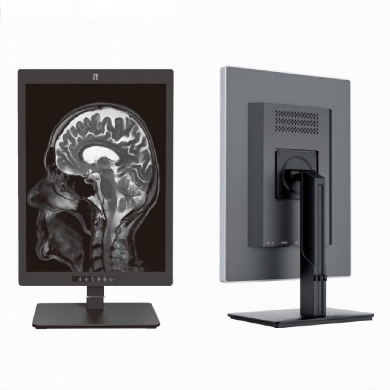
For imaging workstations, the display is also important. The workstation may process the image, but the final image still needs to be seen on a screen. If the screen is not suitable, the image detail may not be shown well.
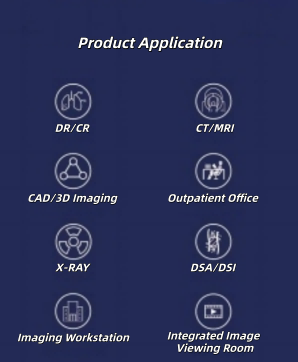
This is why medical displays are used in more than one room. They can be used in DR/CR, CT/MRI, X-ray, DSA/DSI, outpatient offices, imaging workstations, and integrated image viewing rooms.
A 21.3-inch 3MP Medical Diagnostic Display usually needs more than high resolution. It also needs DICOM support, stable brightness, high contrast, grayscale performance, and different viewing modes.
DICOM is one of the key points. It helps medical images display in a more controlled way. For medical image reading, this is much more important than strong color or a beautiful screen effect.
Brightness is also important. In an imaging room, the screen may be used for a long time. The image should stay clear and stable. The doctor should not need to fight with the screen to see details.
The 21.3-inch 3MP Medical Diagnostic Display can also support color and grayscale switching. This is useful because different medical images may need different display styles. Some images need color. Some images need grayscale. The display should be flexible enough for daily use.
Another useful point is landscape and portrait mode switching. Some images are easier to read in vertical view. Some images are better in horizontal view. A display that can switch direction gives medical staff more choice.
For clinics and hospitals, choosing a display is not just choosing a screen size. It is choosing a tool for medical image work. The screen is the final place where medical images are checked by human eyes.
A 21.3-inch 3MP Medical Diagnostic Display is suitable for medical imaging rooms that need clear image viewing, stable performance, and professional display functions.It may look like a simple monitor from the outside.But in daily medical work, it connects many image systems, many rooms, and many reading tasks.That is why more imaging rooms need a professional 21.3-inch 3MP Medical Diagnostic Display.